Clarius has three plans. You can use it free forever, or upgrade for more.
The plans
- Free — core budgeting: budgets, categories, expenses, and goals, all on your device.
- Plus — unlocks the premium features for a single person (advanced tracking and tools, up to 5 budgets, plus unlimited trip budgets, unlimited savings goals, and voice entry with Siri). $3.99/month or $39.99/year.
- Family — everything in Plus, plus family sharing and shared oversight for the whole household. $6.99/month or $69.99/year.
For the current, detailed feature breakdown, see the Pricing page.
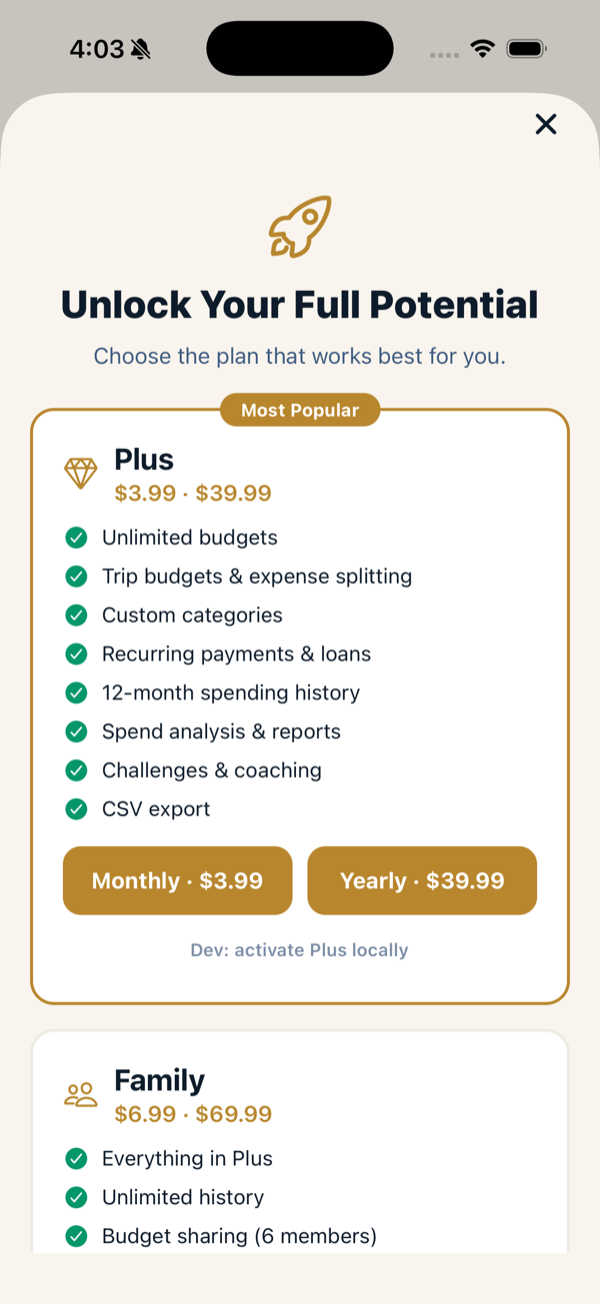
Upgrade
- Open Profile → Subscription (or tap any Upgrade prompt in the app).
- Choose Plus or Family, and monthly or yearly.
- Confirm with the App Store. Your plan unlocks right away.
Family members inherit Family
If you’re on the Family plan, members you invite to your family inherit the Family tier automatically — they don’t each need to buy a subscription. See Family sharing & oversight.
Manage or cancel
Open Profile → Manage Subscription, which takes you to your App Store subscription settings, where you can switch plans or cancel. Billing is handled by Apple.
Restoring a purchase
If you reinstall or switch devices, your plan follows your Apple account. If it doesn’t appear, reopen the app (it re-checks your subscription on launch) or use the restore option in the subscription screen.