Clarius is built privacy-first. Your financial life is yours.
On your device by default
Your budgets, categories, and spending live in a database on your device. Nothing is uploaded unless you deliberately turn on cloud sync or create a backup.
Encrypted at rest
The on-device database is encrypted (SQLCipher), and backups are encrypted with AES-256-GCM. So even the copy stored on your device is protected.
Locked behind your PIN
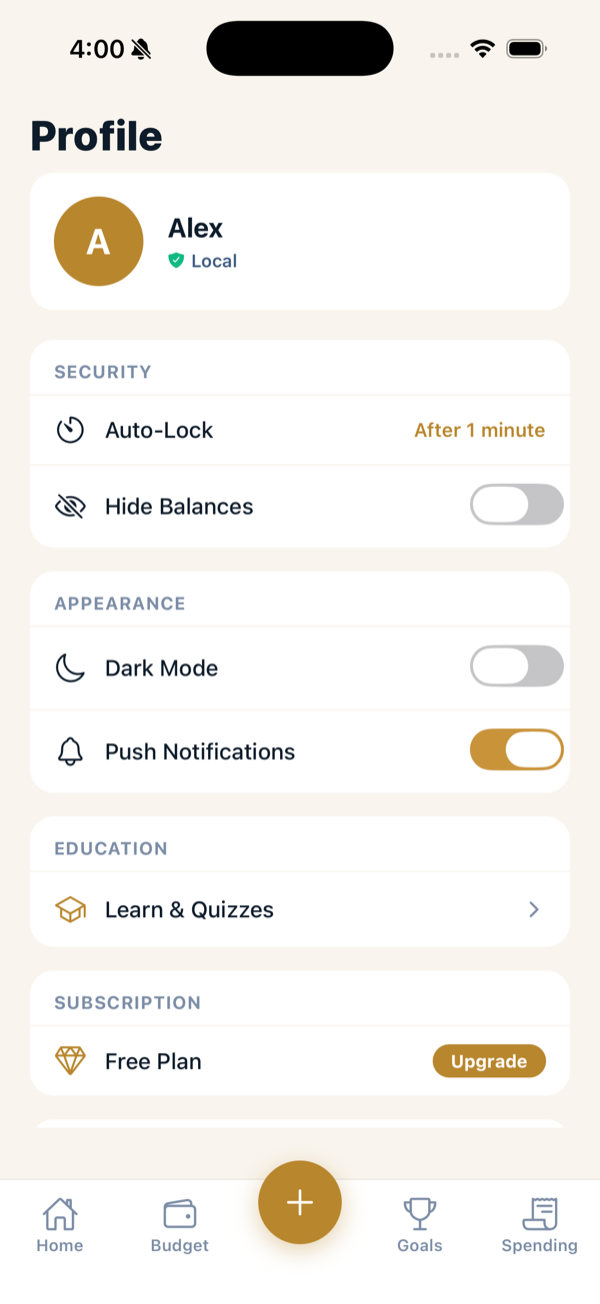
The app is gated by a 6-digit PIN, with optional Face ID / Touch ID. You can also set an auto-lock timeout in Profile → Security so the app re-locks after a period in the background.
No ads, no tracking
Clarius doesn’t show ads and doesn’t track you for advertising. Signing in with Apple creates your account and unlocks paid plans — it doesn’t hand your spending data to anyone.
Good habits
- Choose a PIN you don’t use elsewhere, and turn on Face ID / Touch ID.
- Turn on Hide Balances (Profile → Security) if you don’t want figures visible over your shoulder.
- Keep any backup file somewhere safe.
Reading the fine print
See the full Privacy Policy and Terms of Service for the complete details.